Welcome to this edition of our Tools for Thought series, where we interview founders on a mission to help us think better and work smarter. Alex Green is the cofounder and chief product & technology officer of Littlebird, an AI assistant designed to close the gap between your memory and your computer. By giving AI the ability to see what you see, Littlebird helps you work faster without breaking your flow.
In this interview, we discussed the potential of a true general AI assistant, why context is king, how to use AI as a thought partner in all sorts of personal and professional situations, as well as some of the most powerful use cases Alex has seen, and much more. Enjoy the read!
Hi Alex, thank you for joining us. Let’s start with a philosophical question. At its best, how do you envision AI helping humans focus on impact?
AI models are genuinely incredible, but they have no idea what you’re working on. So you end up spending ten minutes copying and pasting context into a chat window just to get a useful answer. You’re doing prep work for a tool that’s supposed to save you time. That’s backwards.
And meanwhile, every app and platform you use is optimized to keep you engaged, not to help you accomplish what you actually set out to do.
The vision I keep coming back to is that AI should work for you. At its best, it sits between you and the constant flood of information—the Slack messages, the emails, the meeting notes, the browser tabs—and shows you what actually matters right now so you can focus on the work that requires your judgment and creativity. The stuff only you can do.
Littlebird helps users build a memory of everything you do. Can you talk about how the idea for the product first came together?
The problem we kept hitting was this disconnect between how AI works and how people actually work. Your work doesn’t live in one place. It’s scattered across Slack, Google Docs, emails, websites, meeting notes. But every AI tool either operates in a silo (great at one thing like summarizing a meeting but blind to everything else) or it’s a blank canvas that knows nothing about you until you spend a few minutes getting it up to speed.
What was missing was an AI that has the full context of your work. Everything. Your projects, your priorities, the decisions you’ve made, the conversations you’ve had. An AI that doesn’t need to be “caught up” because it’s been paying attention all along.
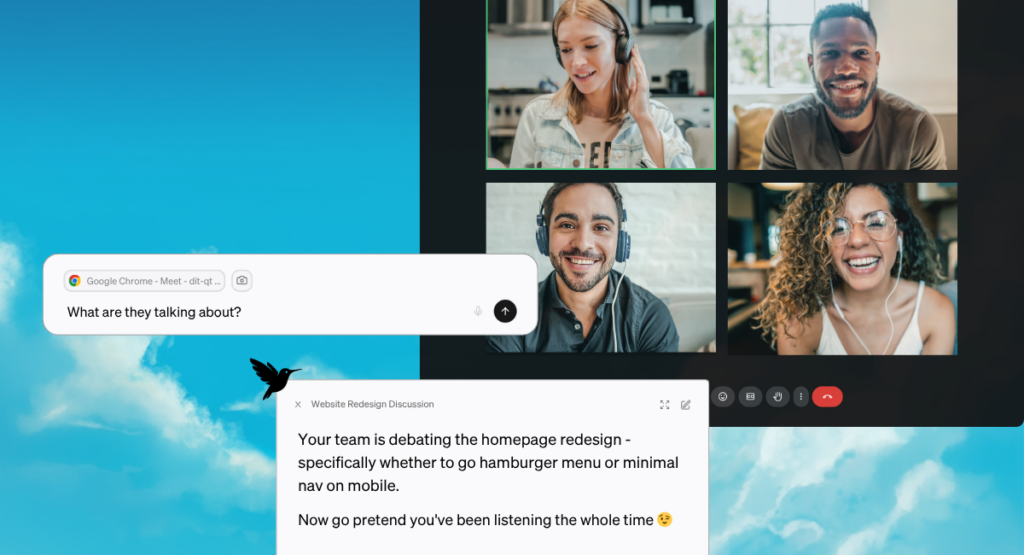
So we built Littlebird to work quietly in the background, seeing what you see on your screen and creating a secure memory of your work. When you need to recall something or create something new, the context is already there. It’s like working with an assistant who’s been in all your meetings, read all your documents, and knows what you’re trying to accomplish, without you having to explain any of it.
What’s the difference between a general AI assistant and Littlebird?
I don’t think anyone else has successfully built a general AI assistant, so I reject the premise. We’ve built Littlebird to be a full “second mind.” The idea is to have as much context about your life as possible in one place, accessible to collaborate with AI.
But to get at what I think the question is really asking: the biggest issue with existing tools is that even the smartest model gives you generic output if it doesn’t know what you’re working on. You can work around this by manually feeding it information, but then you’re spending time doing prep work, and you’re also having to decide what’s relevant, which is its own kind of work. And everything’s disconnected, even though your actual work is deeply interconnected. The document you’re writing relates to a meeting from last week, which relates to an email thread, which relates to a project goal.
Littlebird already knows the context from everything you’ve seen, discussed, and worked on. So when you ask it something, it has the full picture. You say “draft a proposal for [client]” and it already knows who the client is, what you’ve discussed with them, and what materials exist that it can build from.
Let’s talk about how Littlebird works in more detail.
Littlebird works quietly in the background—it’s an AI that has read everything you have and remembers it. You’re responding to emails in Gmail, coordinating with your team in Slack, taking a Zoom call, browsing a few articles. In the past, all that context would disappear the moment you closed the tab or moved on. Littlebird remembers.
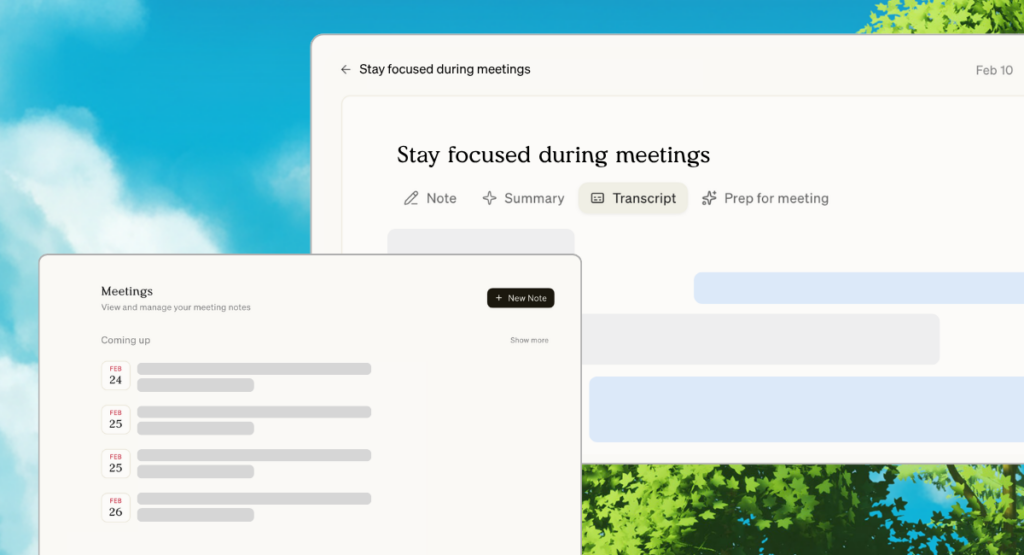
Say you’re heading into a client call. Littlebird transcribes the conversation in real time and afterwards summarizes everything: key points, decisions, and next steps—so nothing falls through the cracks. That shift alone changes how you show up. Instead of splitting your attention between listening and note-taking, you can be present in conversations. You ask better questions and engage with the people in the room instead of with your notes app.
After the call wraps, you ask Littlebird to draft a follow-up email. You don’t need to explain who the client is or what was discussed. It was there. Littlebird pulls from what it knows and drafts something that actually sounds like you.
Then you move on to one of the action items from that call. You start a new chat: “Draft a project brief for the website redesign.” Littlebird already knows the scope because it saw the initial proposal you sent last week, the feedback the client shared over email, and the inspiration sites you bookmarked that morning. It gives you a starting point grounded in your actual work; something that reflects the real decisions and conversations behind the project.
You’re also always in control of what Littlebird sees. You can pause context collection at any time, exclude specific apps or domains, or delete data that’s already been collected. We think about data control as foundational, not an afterthought. If people don’t trust the tool, they won’t use it honestly, and then it can’t actually help them.
Who is using Littlebird today and what are some of the main ways they’re using it?
Our users are busy knowledge workers whose work spans a bunch of different tools and conversations throughout the day: founders, freelancers, marketers, consultants, developers. What they share isn’t a job title, it’s a frustration that a lot of people feel but haven’t quite named yet: the hardest part of knowledge work isn’t the actual thinking. It’s everything around it. Finding what you need, remembering what was said, reconstructing context that existed in your head two days ago but has since been buried under fifty other things.
A few patterns have emerged. Recall is usually the entry point. Things like “What did we agree on in that call last Thursday?” or “Where did I see that article about market sizing?” get instant answers without the scavenger hunt. That alone is worth a lot.
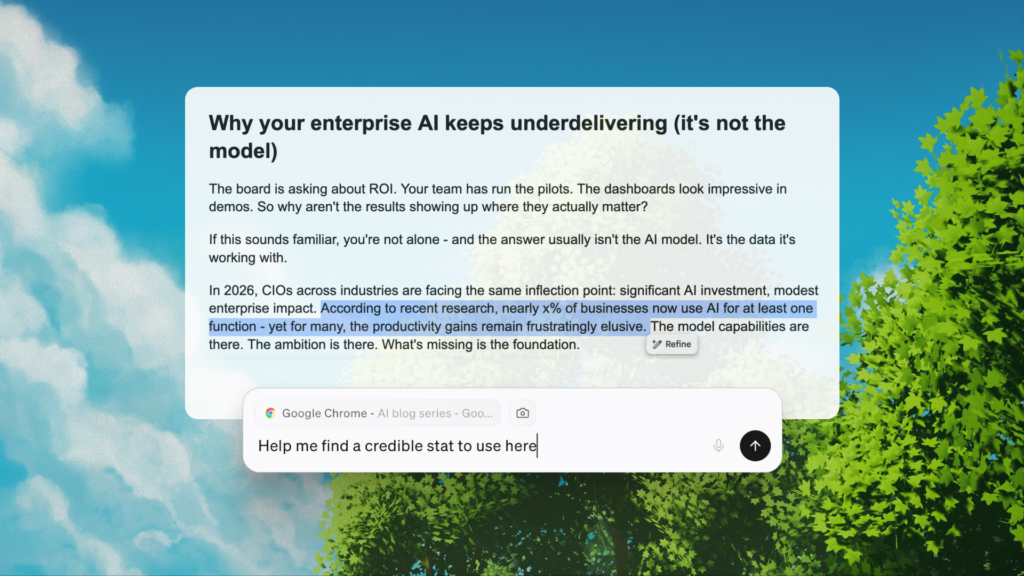
Pretty quickly, most users start leaning on Littlebird as a drafting partner. Because it already knows the context behind their work, they can go from “I need to write this” to a strong first draft in minutes—one that reflects the actual details of their projects and the language they use. That matters enormously if you’re someone who spends half your day writing and communicating.
We also hear a lot from users that Littlebird has changed how they experience meetings. When you’re not frantically trying to capture everything, you can actually listen. That one hits differently than a productivity metric. It’s about the quality of how you spend your time, not just the quantity.
What are some of the most powerful use cases you’ve seen?
A few stand out because they’re only possible when the tool actually knows what you’ve been working on. The first is meeting prep. Before any important conversation, most people scramble through old notes and email threads trying to piece together where things stand. With Littlebird, you just ask: “Prep me for my 2 pm.” It pulls from everything relevant (e.g. past calls, email threads, shared documents) and gives you a rundown in seconds. People notice when you remember the details. That kind of trust compounds over time, and it’s hard to put a number on how much that’s worth.
The second is planning. Whether it’s a project, a trip, or a new initiative, Littlebird already knows what you’ve been researching and thinking about. One example I love: a user asked Littlebird to outline a three-day Lisbon itinerary based on flights and articles they’d been browsing the day before. It gave them a plan built from their own research and preferences, ready to use right away. That’s only possible because Littlebird was paying attention when they were doing the research.
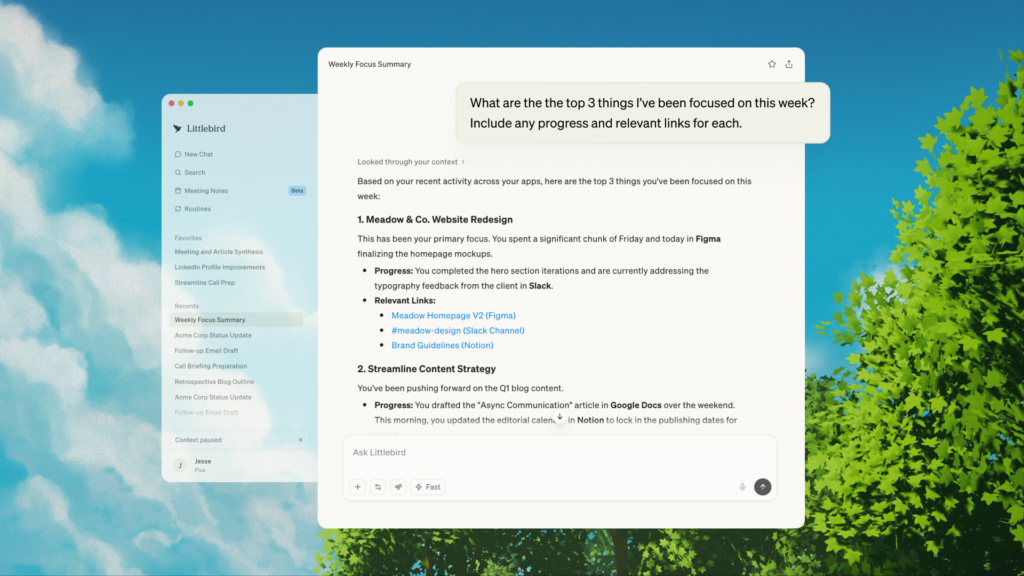
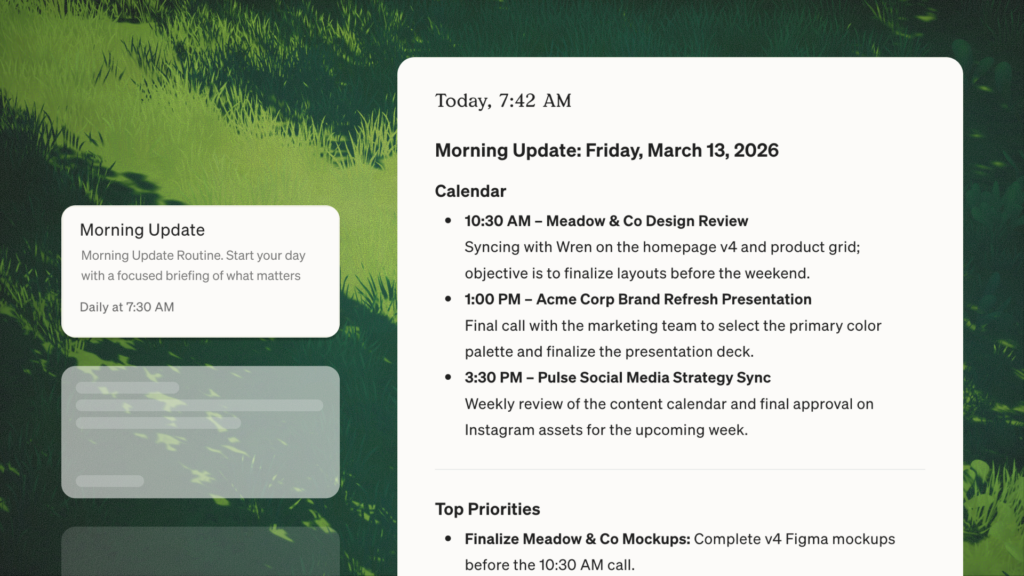
The third is Routines, which are automated briefings you can set up to run on a schedule. A lot of our users have a weekly report that runs every Monday morning covering priorities, what happened the previous week, and anything that needs attention. It’s become how a lot of them start the week—like having a chief of staff who writes you a memo before you’ve had coffee.
What about you, how do you personally use Littlebird?
Honestly, I don’t really think about it as a separate tool anymore. It’s just part of how I work. I use it all day as a thought partner—for learning about unfamiliar concepts, doing research, getting a second opinion on tricky situations, prioritizing, and tracking tasks. But the thing I rely on most is getting a quick read on where different projects stand. As a co-founder running product and engineering, I’m constantly context-switching, and before I jump into a conversation or meeting, I’ll ask Littlebird for a status update on whatever we’re about to discuss.
I also use Meeting Notes heavily. I have a lot of syncs throughout the week, and at some point the individual conversations blur together. Being able to ask “what themes have come up in my team conversations this week?” or “are there any recurring blockers?” is genuinely useful. It helps me see patterns I’d miss if I were just relying on my own memory.
Our goal is to build a universal assistant, and I think Littlebird already does a pretty good job of fulfilling that promise.
Looking ahead, how do you see Littlebird evolving over the next few years?
We’re still very early, and there’s a lot of room to go deeper on what we’ve already built before chasing the next thing.
Beyond that, we’re thinking a lot about how Littlebird can be more proactive. Right now, you ask and it answers. There’s a future where it brings you things before you ask. “Here’s what you need to know before your 2 pm,” or “this email from last week is probably relevant to what you’re working on right now.” More like a great collaborator tapping you on the shoulder at exactly the right moment. We’re building something that is truly an extension of your mind, something that helps you achieve your highest goals, focus, and cut through the noise.
Thank you so much for your time, Alex! Where can people learn more about Littlebird?
You can download and get started for free on our website, or follow our updates on X, LinkedIn, and Instagram.