
Many productivity experts will recommend specific tools to better manage your work and your life. The truth is: you probably don’t need yet another app. I have been using Google Sheets for years to organise many areas of my life. Here is a step-by-step tutorial to get started with Google Sheets as a productivity tool and create your own life dashboard.
1. Set up your tracking sheet
This is a fairly easy step. Obviously, you should have a Google account and be signed in. Then, type sheet.new in your address bar and press enter. Many people don’t know this trick, but it also works for doc.new and slides.new. These are probably the addresses I type more often. This will create a new Google Sheet for you. My spreadsheet is called “Goals 2020” and I create a new one every year.
Next, create tabs for everything you want to track. You don’t have to think about every single area of your life for now. The good thing is that Google Sheets is flexible enough that you can add new tabs as you identify new areas of your life you would like to track.
Here are some suggestions of things you may want to track:
- Yearly goals
- Books read
- Countries visited
- Articles written
- Journaling
- Meditation practice
Again, don’t create don’t many tabs. We are designing a dashboard for your life, and you don’t want your life to be too complicated. If found that 3-6 tabs is usually a good balance between stretching yourself but not overdoing it.
2. Design each tab
Now, you can design each tab to match its goal. The good thing is, you don’t need to be a spreadsheet expert: Google Sheets comes with lots of free templates. Go to the Google Sheets homepage, pick a template you think would be a good fit, and click on it.
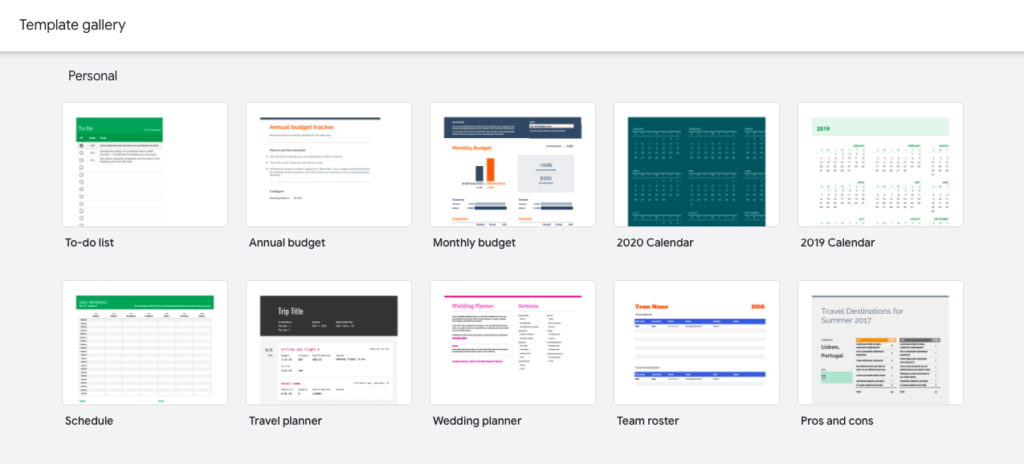
For example, let’s say I like the “to-do list” template and want to use it to track the books I want to read this year. I click on the template, which will open it. Then click on the tab at the bottom: (“To do”) > Copy to > Existing spreadsheet. Type the name of your tracking sheet, and click on it. This will add this template in a new tab in your tracking sheet.
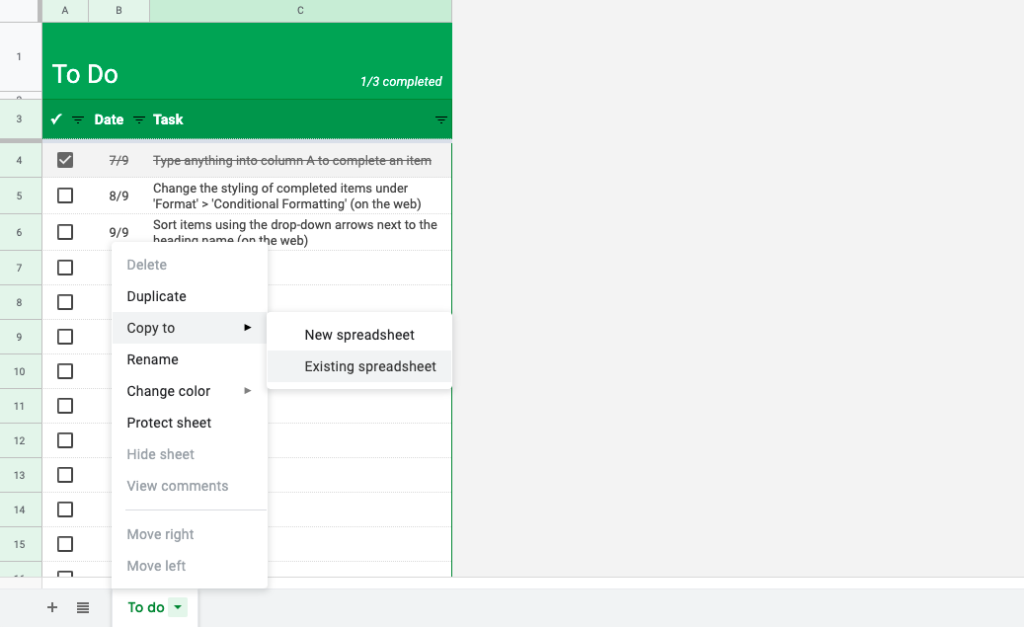
You can now play with the template to make it fit your personal goal for this particular tab. Rename the tab with your goal, and delete the original one you created in step 1.
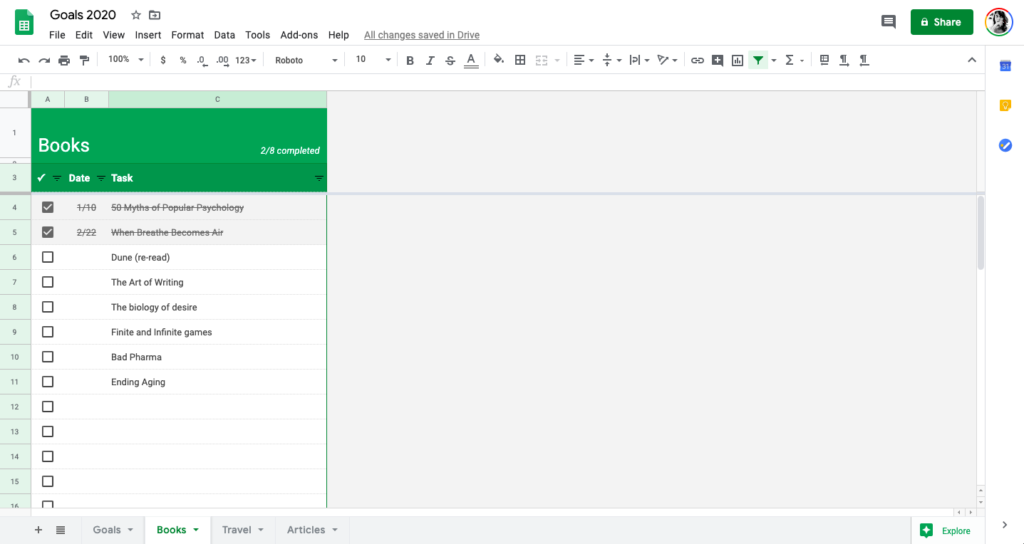
[screenshot books]
There are templates for scheduling, budgeting, planning, tracking time, and more. Click on them, and import them into your life tracking sheet.
3. Track and review
Now, you just need to bookmark this sheet and open it once a week to review and track your progress in different areas of your life. You can get pretty fancy by playing with colours—for instance, if you exercised below your goal the cell could automatically turn red. While some people use Notion for this purpose, I think this is the easiest life dashboard you can imagine. If you’re new to creating a life dashboard, I highly recommend starting with Google Sheets first.